
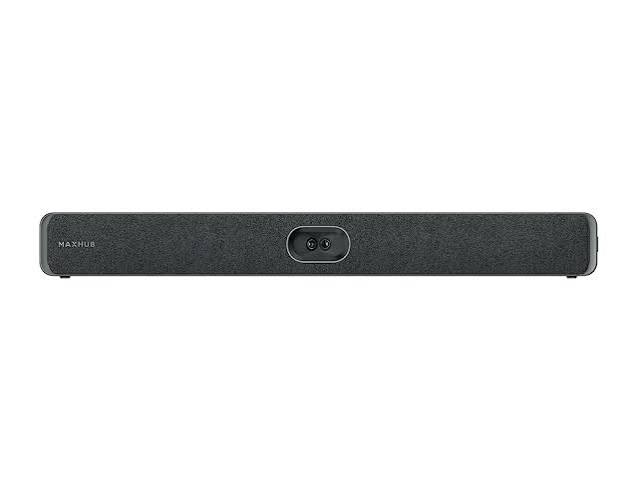
| MAXHUB XBar V50 Kit: The All-in-One Android Teams Rooms Solution Explained |
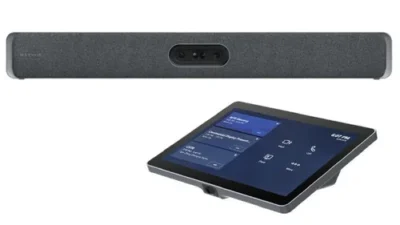
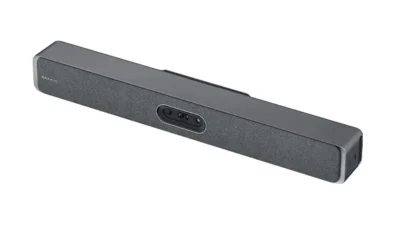
The MAXHUB XBar V50 Kit takes the video bar concept a step further than the U50: it’s a complete, self-contained Teams Rooms solution. Rather than connecting to an external laptop or compute device, the V50 has a Microsoft-certified Android MDEP (Microsoft Device Ecosystem Platform) compute module built directly into the bar, so Teams Rooms runs natively without any additional hardware. It ships as a complete kit, including MAXHUB’s touch console for in-room meeting control.
Key Features
- Built-in Android MDEP compute module — no external PC or laptop required to run Teams Rooms
- 100MP dual-lens camera with a wide field of view for small-to-medium rooms
- 12-microphone beamforming array with several metres of voice pickup and AI-based noise suppression
- Dual 15W speakers with passive bass radiators for balanced, room-filling audio
- Included touch console — an 11.6-inch 1080p touchscreen for starting meetings, managing participants and viewing the room calendar directly from the table
- Enterprise-grade security — hardware attestation, verified boot, encrypted storage and monthly Microsoft-approved security updates, since it runs on Android MDEP rather than a general-purpose OS
- Remote fleet management for firmware and configuration updates across multiple rooms without site visits
Who Should Consider the V50 Kit
The V50 Kit suits small to medium meeting rooms that want a genuinely all-in-one solution — no laptop needed, no separate PC to manage, and a touch console staff can use without training. It’s particularly well suited to organisations that want the security posture of a locked-down MDEP device rather than a general-purpose Windows PC running the meeting room.
V50 vs V70 vs W70
The V50 and V70 both run the same Android MDEP platform, but the V70 scales up to larger rooms with a higher-resolution camera, more microphones and a longer pickup range. The W70, meanwhile, runs Windows instead of Android — a better fit for organisations that specifically want dual-display support or deeper third-party software integration. For most small-to-medium rooms without those specific requirements, the V50 Kit is the simpler, more cost-effective choice.
Why Buy From MetaPoint
MetaPoint Technologies is an authorised MAXHUB partner across Hyderabad, Telangana, Andhra Pradesh and Karnataka, helping businesses choose between the XBar U50, V50, V70 and W70 based on actual room size and requirements, then handling installation end to end.
Frequently Asked Questions
Does the XBar V50 Kit need a separate laptop or PC?
No — it has a built-in Android MDEP compute module, so Teams Rooms runs directly on the bar itself without any external device.
Does the V50 Kit support dual displays?
No, the V50 Kit supports a single display output. For dual-display conference room setups, the V70 or W70 Kit is the right choice.
What’s included in the box?
The kit includes the XBar V50 videobar, the touch console, mounting hardware, and the cables needed for power, display and network connections.
How do I get a quote for the V50 Kit installed in my meeting room?
WhatsApp MetaPoint Technologies’s pre-sales team at +91 99895 44438 with your room size and requirement for a tailored quote across Hyderabad, Telangana, Andhra Pradesh and Karnataka.
Get a Quote
To equip your meeting room with the MAXHUB XBar V50 Kit, contact MetaPoint Technologies on WhatsApp or call +91 99895 44438. We supply, install and support MAXHUB across Hyderabad, Telangana, Andhra Pradesh and Karnataka.”