
| MAXHUB E Series 65-inch Interactive Flat Panel: A Buying Guide |
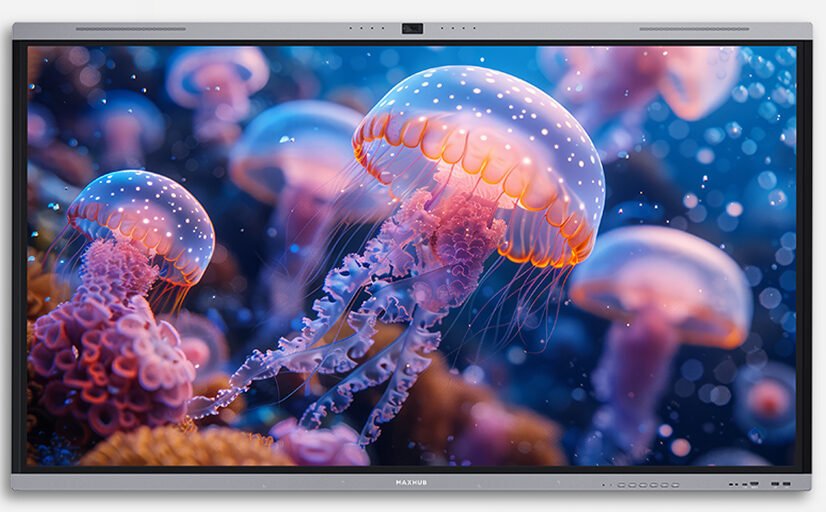
The MAXHUB E Series 65-inch Interactive Flat Panel is a 4K touchscreen display designed to replace a traditional whiteboard and projector setup with a single interactive screen. It’s built for both classrooms and meeting rooms — anywhere a group needs to write, annotate, and share content on a shared display rather than passing a laptop around or squinting at a projected image.
Key Features
- 4K UHD resolution (3840 x 2160) with high colour accuracy for sharp text, images and video
- Multi-point infrared touch supporting simultaneous touch and writing points, for natural handwriting and multi-user annotation at the same time
- Anti-glare, hardened glass that resists scratches and reduces distracting reflections in bright rooms
- Low-latency writing experience, so annotation feels close to writing on paper rather than lagging behind the pen
- Flexible OS support — compatible with Windows, Android, Mac OS, Chrome OS and Linux touch return, so it works with whatever device is connected via HDMI or USB-C
- Type-C connectivity for single-cable laptop connection covering video, data and charging
- Built-in productivity apps — browser, cloud drive, notes, screen recording, split screen and annotation tools available directly on the panel without a connected PC
- Eye-care features on the underlying display technology, including flicker reduction and automatic brightness adjustment for extended use
Who Should Consider This Display
The 65-inch E Series panel suits small-to-medium classrooms, training rooms and meeting spaces where a group needs to view and interact with content together. It’s a natural whiteboard-and-projector replacement for schools and training centres, and works equally well as a meeting-room display for teams that annotate documents, sketch out ideas, or run interactive workshops.
Choosing the Right Screen Size
MAXHUB’s E Series is also available in larger 75-inch and 86-inch formats. As a rough guide, the 65-inch panel suits smaller rooms where viewers sit relatively close to the screen; larger rooms or spaces where people are seated further back generally benefit from the bigger formats for visibility. Room dimensions and seating layout should decide the final size, not budget alone.
Why Buy From MetaPoint
MetaPoint Technologies is an authorised MAXHUB partner across Hyderabad, Telangana, Andhra Pradesh and Karnataka, supplying and installing interactive flat panels for schools, training centres and corporate meeting rooms. Our team can advise on the right screen size for your room and handle mounting and setup.
Frequently Asked Questions
Does the E Series panel need a separate computer to work?
No — it has built-in apps for browsing, notes, annotation and screen recording, though you can also connect a laptop or PC over HDMI or USB-C for a full computer experience on the screen.
Is this panel suitable for a meeting room, or only for classrooms?
Both — it’s commonly deployed in classrooms and in corporate meeting or training rooms, anywhere a group needs a shared interactive display.
How many people can write on the screen at the same time?
The panel supports multi-point touch and writing, so more than one person can annotate the screen simultaneously rather than passing a single pen back and forth.
How do I choose between the 65-inch, 75-inch and 86-inch sizes?
MetaPoint Technologies’s team can recommend the right size based on your room dimensions and seating layout. WhatsApp +91 99895 44438 with your room details.
Get a Quote
To fit a MAXHUB E Series interactive flat panel into your classroom or meeting room, contact MetaPoint Technologies on WhatsApp or call +91 99895 44438. We serve customers across Hyderabad, Telangana, Andhra Pradesh and Karnataka.”