

| Securing Branch Offices: How FortiGate, FortiSwitch and FortiAP Work Together |
The Branch Office Problem
A typical branch network involves at least three separate functions — a firewall, a switch for wired connectivity, and an access point for Wi-Fi. Managed as three unrelated systems from three different consoles, this quickly becomes hard to keep consistent, especially across multiple branch locations run by a small IT team.
What FortiLink Actually Does
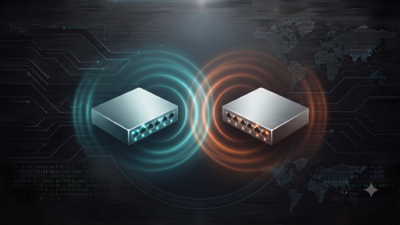
Fortinet’s answer is FortiLink — a protocol that lets a FortiGate firewall directly manage connected FortiSwitch and FortiAP devices as extensions of itself, rather than as separate systems each requiring their own login and configuration. Port-level policy on the switch and SSID-level policy on the access point are both configured and enforced from the same console as the firewall rules.
Why This Matters Beyond Convenience
Centralised management isn’t just about saving clicks — it closes a real security gap. Without it, a firewall might enforce strict policy on inbound/outbound traffic, while the switch and Wi-Fi network behind it remain flat and unsegmented, giving an attacker who reaches the internal network far more freedom to move laterally than the firewall’s own policy would suggest.
A Typical Branch Architecture
- FortiGate at the WAN edge, handling firewall, SD-WAN and VPN connectivity back to head office
- FortiSwitch for wired access-layer connectivity, with port-level segmentation and, where needed, PoE for phones and access points
- FortiAP for Wi-Fi coverage, with separate SSIDs and policy for staff, guest and IoT traffic
- All three managed as one Security Fabric from the FortiGate console, with policy pushed centrally from FortiManager across every branch
Rolling This Out Across Multiple Branches
For organisations with several branch locations, zero-touch provisioning means a FortiGate, FortiSwitch and FortiAP can be shipped to a new site, connected by non-technical staff, and automatically pull their configuration from FortiManager — without an engineer needing to travel to every location for initial setup.
Frequently Asked Questions
Do I need to replace my existing switches and access points to use FortiLink?
FortiLink specifically requires FortiSwitch and FortiAP hardware to integrate with the FortiGate this way; third-party switches and APs can still be used but won’t get the same unified management.
Is this architecture only relevant for large branch networks?
No — even a single small office benefits from consistent policy across firewall, switch and Wi-Fi, not just larger multi-branch deployments.
Does adding FortiSwitch and FortiAP significantly increase management complexity?
Generally the opposite — because they’re managed from the FortiGate console rather than separate systems, adding them typically reduces the number of consoles an IT team has to check.
Can MetaPoint Technologies design a full branch network with FortiGate, FortiSwitch and FortiAP?
Yes — MetaPoint Technologies designs and deploys complete branch networking solutions across Hyderabad, Telangana, Andhra Pradesh and Karnataka. WhatsApp +91 99895 44438 to discuss your branch locations.
Standardise Your Branch Network
MetaPoint Technologies is an authorised Fortinet partner supplying and deploying FortiGate, FortiSwitch and FortiAP as a unified branch solution across Hyderabad, Telangana, Andhra Pradesh and Karnataka. Call or WhatsApp +91 99895 44438 to get started.”